

Mozilla Firefox 159.0
Mozilla Firefox in 2026 is a privacy-focused, open-source browser that's still the only major alternative to Chromium-based browsers. The biggest update of the year is Firefox 157's major visual refresh with new themes, Compact Mode, and improved HDR video playback. Firefox also launched Smart Window, a privacy-first AI assistant powered by Mistral models that works with your open tabs and history without retaining data on Mozilla's servers. Privacy protections include enhanced anti-fingerprinting (reducing unique identifiability by ~14%, ~49% on macOS), a built-in free VPN, 50 free email masks, and the first-ever Sanitizer API deployment. Market share sits around 5.31% on desktop and under 1% on mobile, far behind Chrome, but Firefox remains the last non-Chromium browser for users who value control, transparency, and an open web.
- Free
- Windows
- macOS
- Linux
- Android
- iOS
- Nov 9, 2026
Screenshots
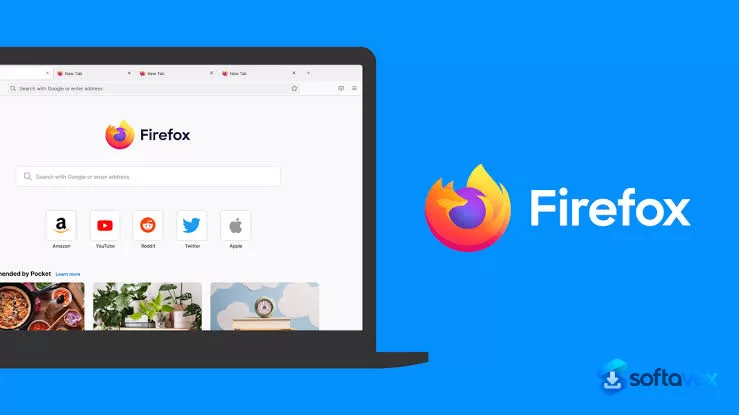
About Mozilla Firefox
Mozilla Firefox Download, Private, Open-Source Web Browser
TL;DR Quick Take / Who is this for?
Mozilla Firefox is the last major web browser built on an independent engine, Gecko, rather than Google’s Chromium codebase. That independence matters in 2026 more than it has in years. Firefox blocks third-party cookies, fingerprinting scripts, and crypto miners by default, and its Enhanced Tracking Protection and Total Cookie Protection are enabled without requiring extensions or configuration[reference:0][reference:1]. It is also the only mainstream browser not controlled by an advertising company, which is why privacy-conscious users, open-source advocates, and anyone uncomfortable with Google’s dominance continue to choose it. The trade-offs are equally clear. Firefox trails Chrome in JavaScript-heavy benchmark scores, and real-world memory tests show it can use more RAM than Chrome with the same number of tabs open, sometimes significantly more depending on the workload and version[reference:2][reference:3]. It also does not block ads as aggressively as Brave out of the box, and some websites still render less reliably than they do in Chromium-based browsers[reference:4]. Firefox is the right pick for users who value privacy, customization, and browser-engine diversity, and who are willing to accept slightly slower raw performance and occasional site compatibility quirks. It is not the best choice for anyone who needs maximum speed above all else, or who expects every website to render identically to Chrome without any adjustment.
Quick Info Box
| License Type | Free and open source (MPL 2.0) |
|---|---|
| File Size | Approx. 80–157 MB (Windows, varies by architecture) |
| OS Compatibility | Windows 10/11, macOS, Linux, Android, iOS |
| Latest Version | 159.0 (October 2026) |
| Developer | Mozilla Foundation / Mozilla Corporation |
Key Features & Real-World Usability
Firefox’s feature set is built around privacy defaults and user control, and it is the only mainstream browser that does not treat those two priorities as premium add-ons. Total Cookie Protection isolates cookies from different sites so trackers cannot follow you across the web, fingerprinting protection randomises the signals that advertisers use to identify your device, and Enhanced Tracking Protection blocks known trackers without requiring a separate extension[reference:6]. Private Browsing is a true no-history mode, and Firefox includes a built-in password manager, breach alerts, and automatic HTTPS upgrades[reference:7]. Customization is the other pillar. Firefox supports thousands of extensions and themes, and its interface is more malleable than Chrome’s, you can rearrange toolbars, adjust density, and change the look of the browser far beyond what Chromium allows[reference:8]. Multi-Account Containers, a Mozilla-built extension, lets you separate work, personal, and shopping identities into isolated cookie jars within the same window, which is a genuinely useful privacy tool that no other major browser offers natively[reference:9]. The 2026 releases have focused on performance and resource management. Firefox 156 specifically reduced memory and CPU usage in multi-tab scenarios and improved cold-start speed and complex page rendering[reference:10]. PDF rendering is up to 45% faster in recent builds, and the mobile browser supports desktop-level extensions and a true desktop layout mode, which is rare on Android[reference:11][reference:12]. The limitations are consistent across reviews. JavaScript performance lags Chrome: in one 2026 Speedometer 3.1 benchmark, Chrome scored 42.7, Edge 40.8, and Firefox 35.7[reference:13]. Memory usage is not the advantage it once was, a 25-tab test found Firefox using around 10 GB of private working set versus Chrome’s 8 GB and Brave’s 4.5 GB[reference:14]. Battery efficiency on mobile is good but below Brave and Vivaldi, and some sites, particularly Microsoft Teams, work better in Chromium browsers[reference:15].
- Privacy on by default: Total Cookie Protection, fingerprinting resistance, tracker blocking, and crypto-miner blocking are enabled without extensions or configuration.
- Independent Gecko engine: Firefox is the only major browser not built on Google’s Chromium code, preserving engine competition and preventing a Chromium monoculture.
- Deep customization: Thousands of extensions and themes, rearrangeable toolbars, density controls, and the ability to reshape the interface far beyond Chrome’s limits.
- Multi-Account Containers: Isolate work, personal, and shopping identities into separate cookie jars within a single browser window for stronger privacy separation.
- Performance improvements in 2026: Firefox 156 reduced multi-tab memory and CPU usage, improved cold-start speed, and accelerated PDF rendering by up to 45%.
- Cross-device sync: Bookmarks, passwords, open tabs, and history sync across desktop and mobile through a Mozilla account.
- Desktop layout on mobile: The Android version supports true desktop page rendering and desktop-level extensions, which most mobile browsers do not.
- Built-in security tools: Password manager, breach alerts, automatic HTTPS upgrades, and Private Browsing with no history or cookie retention.
Pros, Cons & Community/User Feedback
User sentiment around Firefox is positive on principle and mixed on performance, and the split maps closely to what each user values most. On Software Advice, Firefox holds a 4.6 average from 546 reviews, with privacy options also rated 4.6. Reviewers describe it as “reliable for daily web browsing,” praise its “strong privacy-oriented features, solid customization options, and a clean browsing experience,” and highlight that it is “not tied as closely to the major ecosystem providers”[reference:17]. One long-term user who switched from Chrome notes that Firefox offers “faster page loading” and “works faster with multiple tabs,” and that Chrome “crashes more often” in their experience. ZDNET’s reviewer summarises the appeal in a single sentence: Firefox is “fast, customizable, bloat-free, serious about privacy and security, regularly updated, and its developers listen to users”[reference:19]. The complaints are equally consistent. Performance is the most common: Firefox trails Chrome in JavaScript benchmarks, and independent testing shows it is not the memory-sipping alternative it is sometimes portrayed to be[reference:20][reference:21]. One Reddit and forum thread describes Firefox as “the worst memory hog” in direct comparisons, and a Phoronix Linux benchmark found Chrome using slightly less memory on average (4.67 GB versus 4.83 GB)[reference:22][reference:23]. Site compatibility is the second recurring issue: reviewers note that “some websites may sometimes be less well optimized than on other popular browsers,” and that specific services like Microsoft Teams “work much better on Chrome”. The third theme is Mozilla itself. A Mozilla support thread from 2026 captures a sentiment that appears in community discussions: “Firefox and Mozilla have lost their way… forcing privacy, security, and system resource disasters onto their userbases”. That criticism is not universal, but it reflects frustration among some long-time users with Mozilla’s product direction and resource management. The practical takeaway is that Firefox’s privacy architecture, customization depth, and engine independence are genuinely valuable and consistently praised, while its raw performance, memory behaviour, and occasional site rendering quirks are the areas where expectations should be managed.
Pros
- Strongest privacy defaults of any major browser, with Total Cookie Protection and fingerprinting resistance enabled out of the box
- Independent Gecko engine preserves browser competition and is not controlled by Google or an advertising company
- Deep customization through extensions, themes, and interface adjustments
- Multi-Account Containers for isolating different identities within one browser
- 2026 performance improvements: lower multi-tab memory usage, faster cold starts, and 45% faster PDF rendering
- Cross-device sync and a true desktop layout on Android with desktop-level extension support
- 4.6 average rating from 546 Software Advice reviews, with privacy rated 4.6
- Open source and free, with no ads or data-selling business model
Cons
- Trails Chrome in JavaScript benchmarks (35.7 vs. 42.7 in a 2026 Speedometer 3.1 test)
- Memory usage can exceed Chrome’s with many tabs open; a 25-tab test showed Firefox at ~10 GB versus Chrome at ~8 GB
- Ad and tracker blocking is less aggressive than Brave’s by default, requiring manual extension installation for maximum blocking
- Some websites, including Microsoft Teams, render or function better in Chromium-based browsers
- Mobile battery efficiency is below Brave and Vivaldi
- Some long-time users express frustration with Mozilla’s product direction and resource management
- No native ad-blocking; users must install extensions like uBlock Origin for full blocking
Final Verdict & Safe Download Advice
Mozilla Firefox is the browser to choose if you believe the web should not be dominated by a single engine controlled by an advertising company, and if you want privacy protections that are on by default rather than sold as an upgrade. The Gecko engine is the only credible independent alternative to Chromium, the privacy features are genuinely effective, and the customization depth is unmatched. Firefox 156 and 159 have addressed some of the performance and resource complaints with real improvements to multi-tab memory usage and PDF rendering, and the mobile browser’s desktop layout mode is a practical advantage for anyone who reads or works on a phone. The caveats are real. Firefox is not the fastest browser in raw benchmarks, and it is not the lightest on memory in every scenario. Some sites work better in Chrome, and the default ad-blocking is weaker than Brave’s. If you need maximum speed or you rely on Chromium-specific web apps, Chrome or Edge will serve you better. If you want a fast, private, customizable browser from a non-advertising company, and you are willing to install an ad blocker and accept occasional site quirks, Firefox remains the best independent choice available. It is not perfect, but it is the only browser that keeps the web from becoming a monoculture.
- Download only from mozilla.org or official app stores: The official Firefox download page distributes the installer directly, and the mobile apps come from Google Play and the Apple App Store. Third-party “Firefox download” sites may repackage the installer with unwanted software or outdated builds.
- Verify the installer size and version: The Windows installer for Firefox 159.0 is approximately 80–157 MB depending on architecture. The current version is 159.0. A dramatically smaller file or an older version number is a warning sign.
- Check system requirements before installing: Firefox requires Windows 10 or 11, macOS, or a modern Linux distribution. The Windows build is available in 32-bit, 64-bit, and ARM64 versions, so choose the one that matches your hardware.
- Enable Enhanced Tracking Protection to Strict if you want maximum blocking: Firefox defaults to Standard protection, which blocks known trackers. Switching to Strict mode blocks more trackers and fingerprinting scripts, at the cost of occasionally breaking some site features. Adjust this under Settings > Privacy & Security.
- Install a reputable content blocker for ad blocking: Firefox does not block ads by default. If you want ad-free browsing, install uBlock Origin from the official Mozilla Add-ons site. Avoid unofficial “Firefox ad blocker” downloads, which are a common malware vector.
- Do not download “Firefox Quantum” or “Firefox Plus” from third parties: These names are sometimes used by repackaged installers that bundle adware. The official Mozilla download is the only safe source, and it already includes the Quantum engine improvements.
Similar software

Key features
- Smart Window AI assistant (Mistral-powered, no server-side storage)
- Enhanced fingerprinting protection
- Built-in VPN (progressively rolling out)
- Up to 50 free email masks
- Redesigned interface with Compact Mode
- AV1 hardware acceleration for WebRTC video calls
- HDR video support on Windows
- First browser to implement Sanitizer API
- Only major non-Chromium browser
- Free and open-source
Frequently asked questions about Mozilla Firefox
Is Firefox safe to use?
Is Firefox free?
What operating systems does Firefox run on?
What is Firefox used for?
How do I update Firefox?
How do I uninstall Firefox?
What’s new in Mozilla Firefox 159.0
New Features & Improvements
Modernized Design: A comprehensive visual overhaul across the browser toolbars, sidebar, menus, and individual features, built with an updated design system.
New Built-in Themes: Light and dark theme variants are available to personalize Firefox with one click.
Compact Mode: Reduces toolbar and tab spacing to leave more room for web content, useful on smaller screens and in split-screen layouts.
Hardware AV1 Decoding for WebRTC: Video calls can now use hardware AV1 decoding on supported devices instead of always decoding in software.
Encryption Key Recording Warning: Firefox now shows a warning in the site information panel (shield icon) and in Settings when the browser has been set up to record encryption keys.
Expanded Firefox Suggest: Address bar suggestions are now available in Austria, Belgium, Czech Republic, Denmark, Finland, Hungary, Ireland, Luxembourg, Netherlands, Norway, Poland, Portugal, Slovakia, Spain, Sweden, and Switzerland.
Updated Sidebar Enabled for All: The revamped sidebar is now enabled for everyone. The previous version can still be restored by setting sidebar.revamp to false in about:config until the end of 2027.
Dark Mode Support for Dialogs: Web page alert(), confirm(), and prompt() dialogs, color and date pickers, and form autocomplete drop-downs now match the page's light or dark color scheme.
Amazon Removed as Built-in Search Engine: Amazon is no longer included by default but can still be added as a custom search engine.
Fixed Issues
Fixed video from phones and tablets appearing sideways or upside down in WebRTC calls.
Fixed the address bar searching for typed text instead of opening the selected suggestion when a page was still loading.
Fixed some HDR videos encoded in 8-bit color formats looking dull and gray on Windows instead of displaying in HDR.
Improved audio and video synchronization when repeatedly changing playback speed on sites like YouTube.
Fixed the Vertical Tabs sidebar not reappearing when the cursor moves to the edge of the screen in full-screen mode.
Fixed an issue on Windows where making a video full screen would leave the Windows taskbar showing over the video.
Versions
| Version | Release date | Platform | File size | |
|---|---|---|---|---|
| Mozilla Firefox 159.0 Latest version | Sep 29, 2026 | WindowsmacOSLinuxAndroidiOS | 88.6 MB | Download |
Comments about Mozilla Firefox
No comments yet. Share your experience with this program!